Transcribe the final mix
Use the exported episode (MP3, WAV or M4A) so the timestamps match what listeners hear.
Podcast transcription
Drop in the episode you exported from your editor. EarScribe creates a timestamped transcript on your device that you can search for quotes, use to write show notes and chapters, and export as captions for the video version.
Review the transcript before you export
Use the exported episode (MP3, WAV or M4A) so the timestamps match what listeners hear.
Search for guest names, brands and URLs, replay each mention and correct the spelling.
Copy text for show notes, note timestamps for chapters, and export SRT or VTT for the video episode.
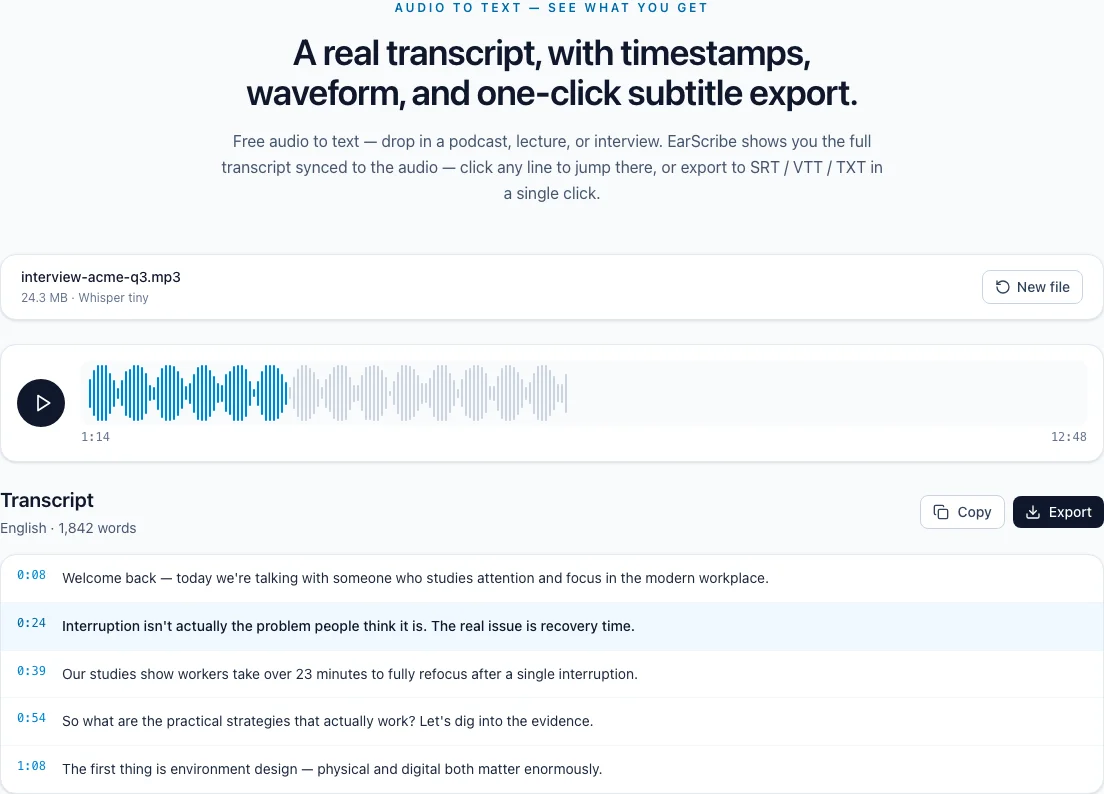
podcast transcription
A transcript earns its keep after the episode is out: it becomes show notes, chapter markers, quotes for social posts and captions for the video version. Timestamps connect all of them back to the audio.
Skim the transcript for topic changes and note their timestamps. Many platforms turn a timestamp list in the description into chapters; YouTube, for example, needs the list to start at 0:00 and contain at least three chapters of ten seconds or more.
Write the notes from the corrected transcript rather than the raw one, so guest names and links are spelled the way you confirmed them.
Search for the phrase you remember, click its timestamp and listen to the whole sentence before quoting it. The surrounding context often changes how a line should be trimmed.
When you cut a clip for social media, the timestamps tell your editor exactly where to go, which saves scrubbing through an hour of audio.
Export SRT or WebVTT for the video version of the episode, and run the subtitle check to catch cues that are too long or too fast to read.
A published transcript also serves listeners who are deaf or hard of hearing, and anyone who prefers to skim. The podcast namespace's podcast:transcript tag lets you link the transcript file from your RSS feed.
Review the transcript before you export
Guests, companies, products and places spelled correctly.
URLs and promo codes checked against the audio.
Decide whether sponsor segments stay in the published text.
Chapter timestamps and captions match the final mix.
Music beds and intros can produce stray or repeated lines. Check the first and last minutes of the transcript.
EarScribe doesn't label speakers. Add host and guest names while reviewing, using the timestamps to find each turn.
Long episodes need memory. On a phone, transcribe the episode in parts or use a smaller model.
Yes, on most laptops and desktops. Very long episodes depend on available memory; if the browser struggles, split the episode or choose a smaller model.
Post the corrected text on the episode page, or export SRT or WebVTT and link it from your RSS feed with the podcast:transcript tag, which a growing number of podcast apps can display.
No. Whisper produces one timeline of text. Use the timestamps to find each change of speaker and add names where they matter.
No. EarScribe works with audio files on your device. Use the file exported from your editor, or download the episode first.