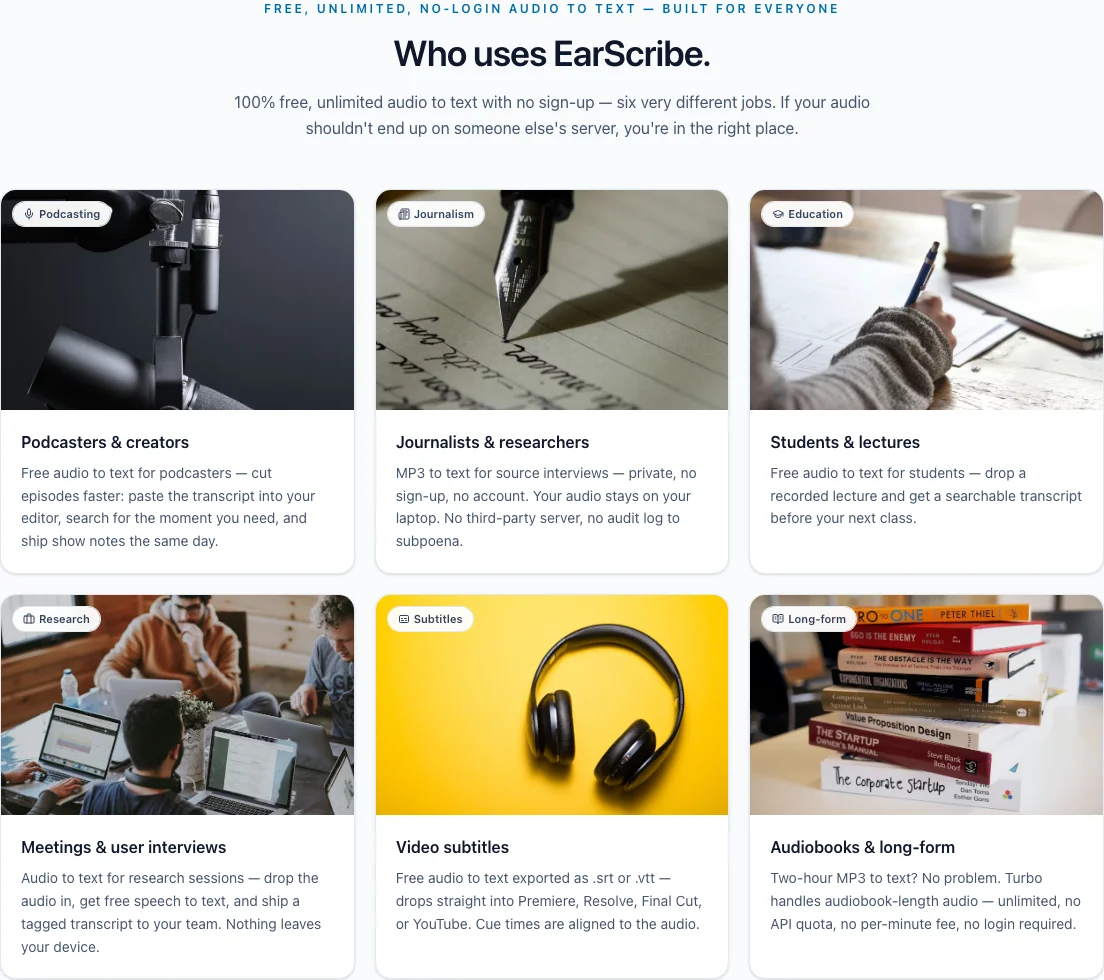
 Podcasting
Podcasters & creators
Free audio to text for podcasters — cut episodes faster: paste the transcript into your editor, search for the moment you need, and ship show notes the same day.
Automatically detect the language, copy the transcript, or export SRT, VTT and TXT. Your audio is processed on this device and is not uploaded.
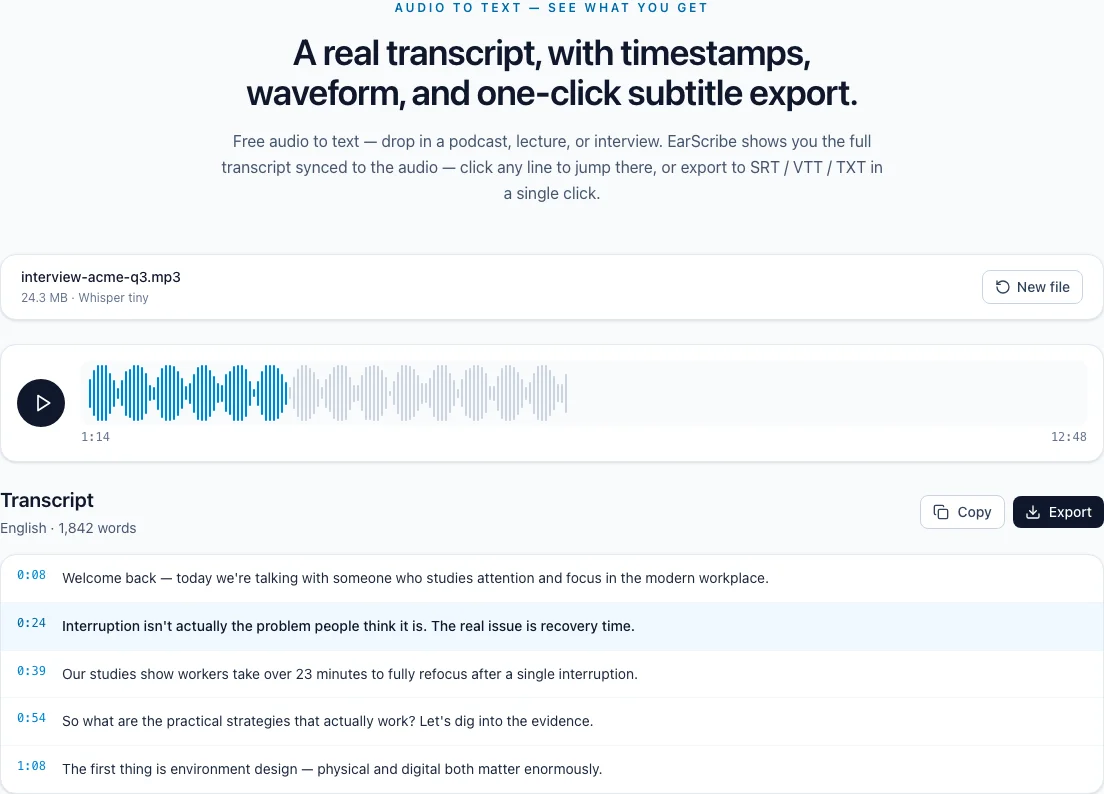
Audio to text — see what you get
Free audio to text — drop in a podcast, lecture, or interview. EarScribe shows you the full transcript synced to the audio — click any line to jump there, or export to SRT / VTT / TXT in a single click.
English (auto-detected) · 93 words
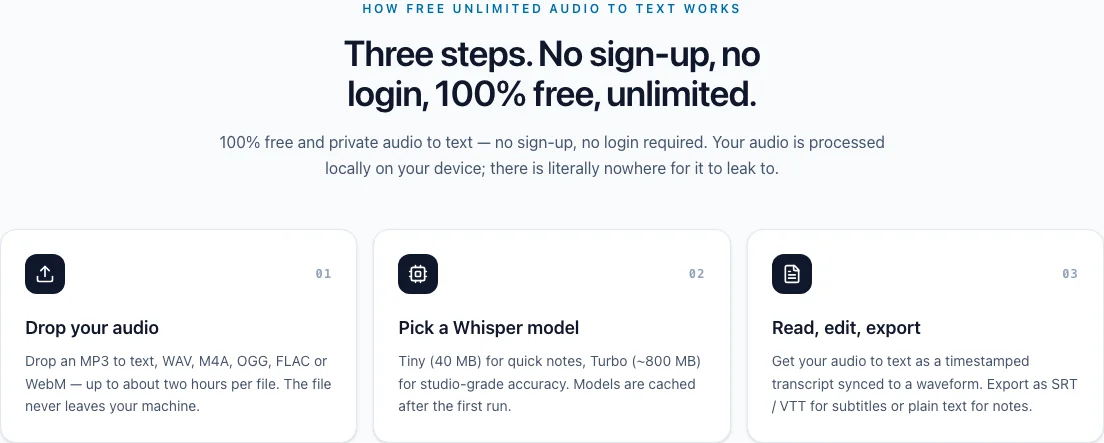
How free unlimited audio to text works
Free and unlimited with no sign-up. Start with the recommended quality, review the transcript, and export the format your next tool needs.
Choose MP3, WAV, M4A, OGG, FLAC or WebM. Practical file length depends on your browser and available device memory.
Use the recommended balanced option, or expand the advanced choices when you need a smaller download or higher accuracy.
Review and edit timestamped text, check subtitle readability, then export SRT, VTT, TXT or JSON.
What you can do — 100% free, no sign-up, unlimited
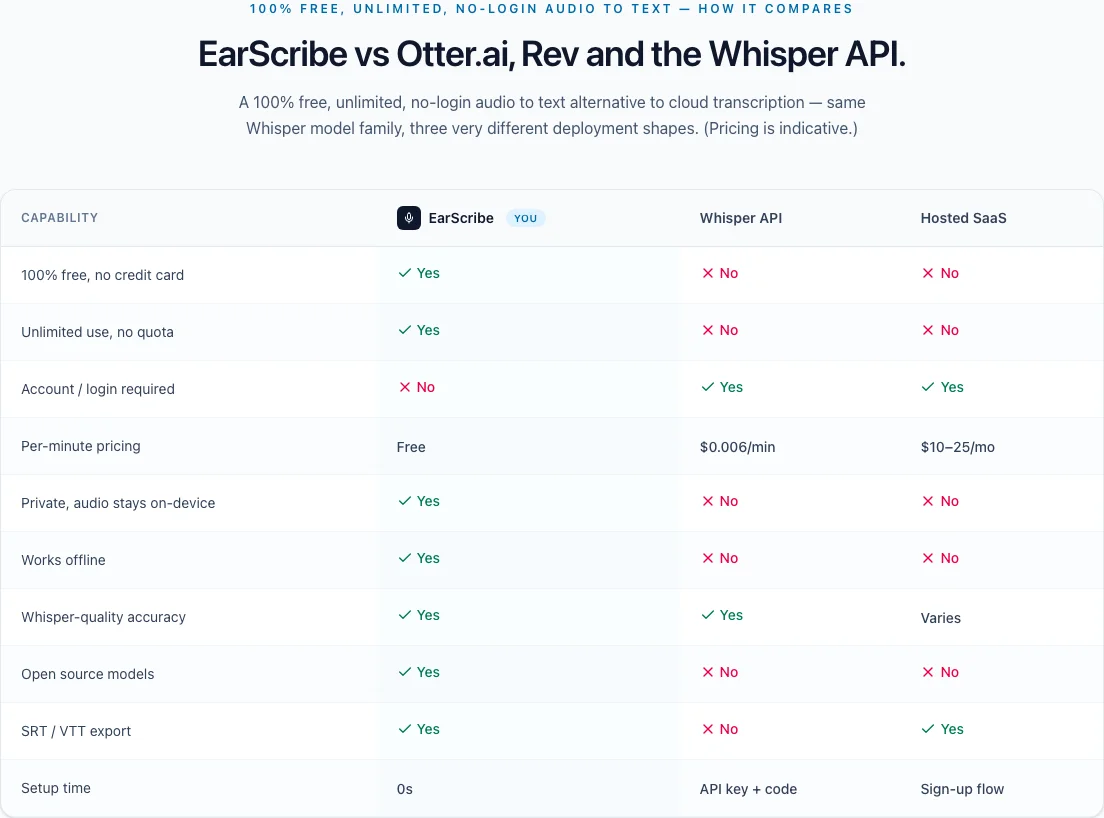
EarScribe is a 100% free audio to text converter — no sign-up, no login, unlimited use. Convert MP3 to text, WAV to text or M4A to text, generate SRT or VTT subtitles, search and edit the transcript, replay timestamps, and export the result without an API key or per-minute fee.
From recording to usable result
Search the transcript and click any timestamp to replay the matching part of the recording.
Start with the balanced recommendation, then open advanced choices only when you need a smaller download or higher accuracy.
Use interviews, lectures, and podcasts in supported Whisper languages without choosing the language first.
Correct names, quotes, numbers, and terminology in the workspace before copying or exporting.
Review long, fast, repeated, empty, or overlapping cues and improve line breaks before export.
Copy the finished text or download TXT, SRT, VTT, or JSON. Free, unlimited, and no account required.
Free, unlimited, no-login audio to text — built for everyone
Six different jobs, one useful flow: search the transcript, replay the source, edit the wording, and export what the next tool needs.
PodcastingFree audio to text for podcasters — cut episodes faster: paste the transcript into your editor, search for the moment you need, and ship show notes the same day.
 Journalism
Turn source interviews into searchable, timestamped text and jump back to the recording when a quote needs checking.
 Education
Free audio to text for students — drop a recorded lecture and get a searchable transcript before your next class.
 Research
Turn research sessions into searchable text, pull out decisions and follow-ups, then export a clean transcript for the team.
 Subtitles
Free audio to text exported as .srt or .vtt — drops straight into Premiere, Resolve, Final Cut, or YouTube. Cue times are aligned to the audio.
 Long-form
Work through long recordings without a per-minute quota. Choose a smaller model on memory-constrained devices and split very long files when needed.
Audio to text — sample output
What an exported MP3 to text or audio to SRT file actually looks like — paste straight into your editor or upload to YouTube.
1
00:00:08,120 --> 00:00:18,640
Welcome back — we're talking attention research.
WEBVTT

00:00:08.120 --> 00:00:18.640
Welcome back — we're talking attention research.
[00:00:08] Host: Welcome back — we're talking attention research.
Choose the workflow that fits the job
Compare a browser workspace, a transcription API, and hosted transcription software by the work each one is designed to support.
| Capability | EarScribeYou | Transcription API | Hosted software |
|---|---|---|---|
| Start without an account | Yes | No | No |
| Use without API integration | Yes | No | Yes |
| Editable transcript workspace included | Yes | No | Yes |
| Where you work | In the browser | In your product | In a hosted app |
| Timestamped text included | Yes | Yes | Yes |
| Click timestamps to replay audio | Yes | No | Yes |
| Model choice | Yes | Yes | Varies |
| Built-in five-point subtitle check | Yes | No | No |
| Free unlimited use | Yes | No | No |
| Best fit | One recording to review and export | Product integration | Team collaboration |
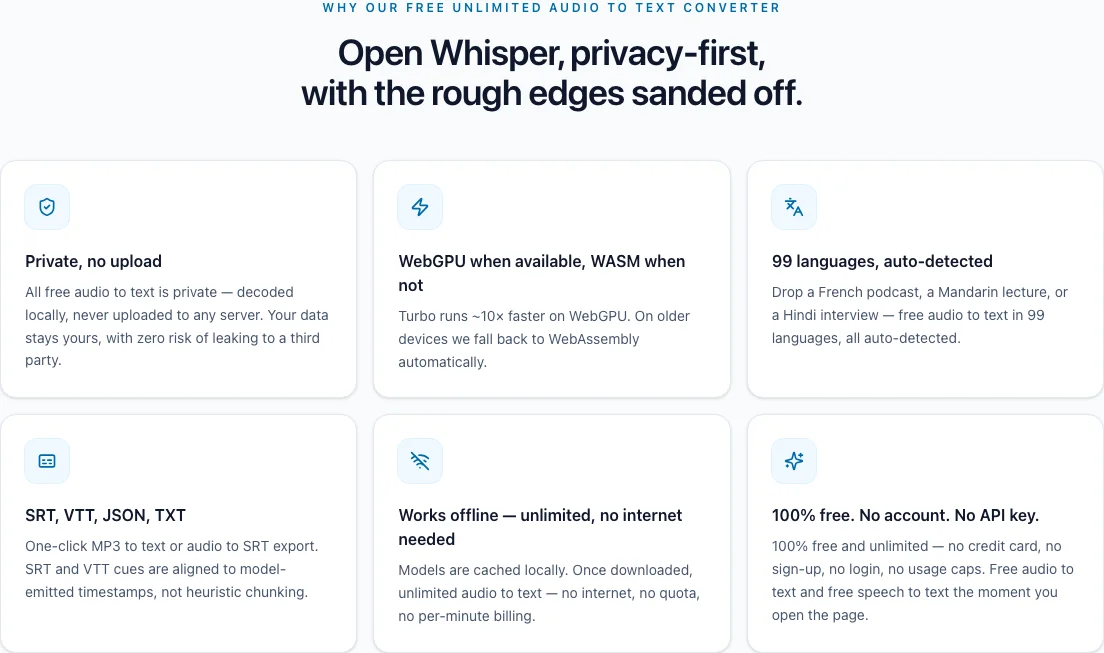
99
languages
Auto-detected, no manual pick required.
4
export formats
Download TXT, SRT, VTT, or JSON when the transcript is ready.
$0
/ month
100% free and unlimited — no sign-up, no login, no usage cap.
1
review workspace
Search text, replay timestamps, edit wording, and check subtitles in one place.
Free unlimited audio to text converter — no sign-up, no account. If you can play it, EarScribe converts your audio to text: MP3 to text, WAV to text, M4A to text, and more.
Free audio to text in Whisper's 99 supported languages. The model picks the right one from the first few seconds of audio.
One transcript, different outcomes
Most people only need readable text and an export button. Subtitle, interview, and study workflows stay available without crowding the first step.
Subtitle workflow
For video and social clips
Check line length, reading speed, repeated cues, and timing overlap before exporting SRT or VTT.
Interview workflow
For research and reporting
Search the transcript, click a timestamp to verify the original recording, and edit names or quotes in place.
Study workflow
For lectures and recorded lessons
Find a topic quickly, clean up the transcript, and export text for notes, references, or revision.
Choose a file, use the recommended quality setting, and turn the recording into timestamped text or subtitles without creating an account.
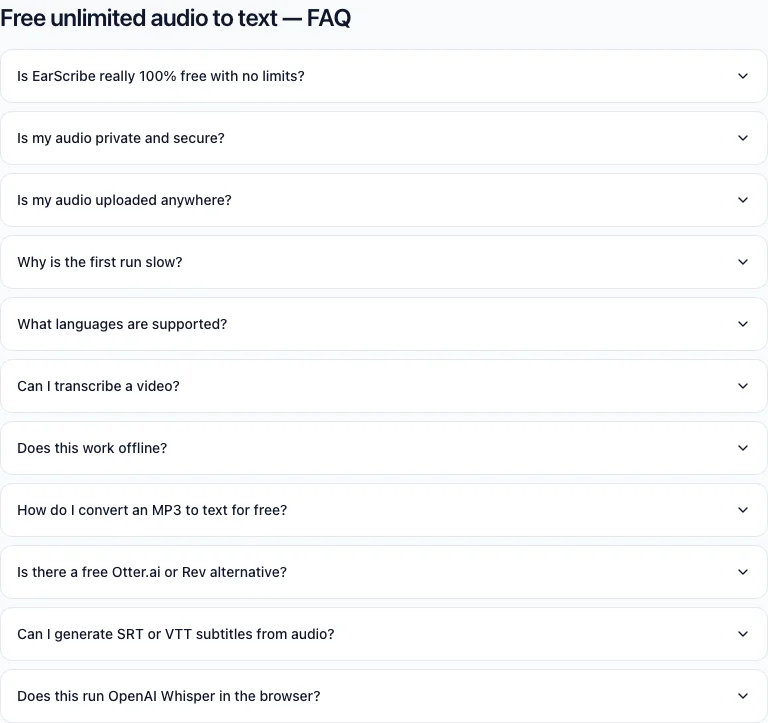
Yes — 100% free, unlimited, no sign-up and no login required. There are no paid tiers, no credit card, no per-minute fees, and no daily or monthly quota. The Whisper speech to text model runs on your own hardware, so there is no cloud compute cost to pass on. Free audio to text with no strings attached.
Yes. Open edit mode to correct names, quotes, numbers, or technical terms. The edited transcript is used for copy and every export format, and the draft is saved in this browser.
It flags empty, overly long, unusually fast, repeated, or overlapping cues. You can improve line breaks automatically, then listen through important sections before exporting SRT or VTT.
The first time you pick a model for audio to text, your browser downloads it (80 MB to 800 MB depending on the size). After that the free audio to text model is cached and reused — no re-download needed.
Free audio to text supports 99 languages via Whisper. The language is detected automatically — you do not need to pick one.
Not directly. For video audio to text, extract the audio first (any tool that can output MP3 or WAV will work) and drop that here.
Start with the recommended balanced model. Use Tiny for a smaller download, Small for harder audio when your device has enough memory, or Turbo when you want the highest available accuracy on capable hardware.
Choose the MP3, keep the recommended quality setting, then review the timestamped transcript. Correct important details and copy the text or export SRT, VTT, TXT or JSON. No account is required.
EarScribe is useful when you want a free, no-account workflow for one recording: transcribe, search, replay timestamps, edit, check subtitles, and export. Hosted tools may be a better fit when you need shared team workspaces or managed collaboration.
Yes. After audio to text, click Export → .srt or .vtt. Cue timing comes from Whisper's emitted timestamps, so the subtitles align with the audio to text output without manual splitting.
Yes — EarScribe runs free audio to text via Whisper (Tiny, Base, Small, and Large v3 Turbo) directly in the browser through Transformers.js on WebGPU, falling back to WebAssembly when unavailable.