Find the .m4a file
Voice memos, Zoom audio-only files and recorder exports can be selected directly. On iPhone, save the recording to Files first so the browser can open it.
M4A to text converter
M4A is the format behind iPhone Voice Memos, Zoom's audio-only recordings and many recorder apps. Choose the .m4a file as it is: EarScribe decodes it in your browser, creates timestamped text, and lets you check each line against the recording before you export.
Review the transcript before you export
Voice memos, Zoom audio-only files and recorder exports can be selected directly. On iPhone, save the recording to Files first so the browser can open it.
The balanced model suits most spoken M4A recordings. Choose a smaller one on older phones or for very long files.
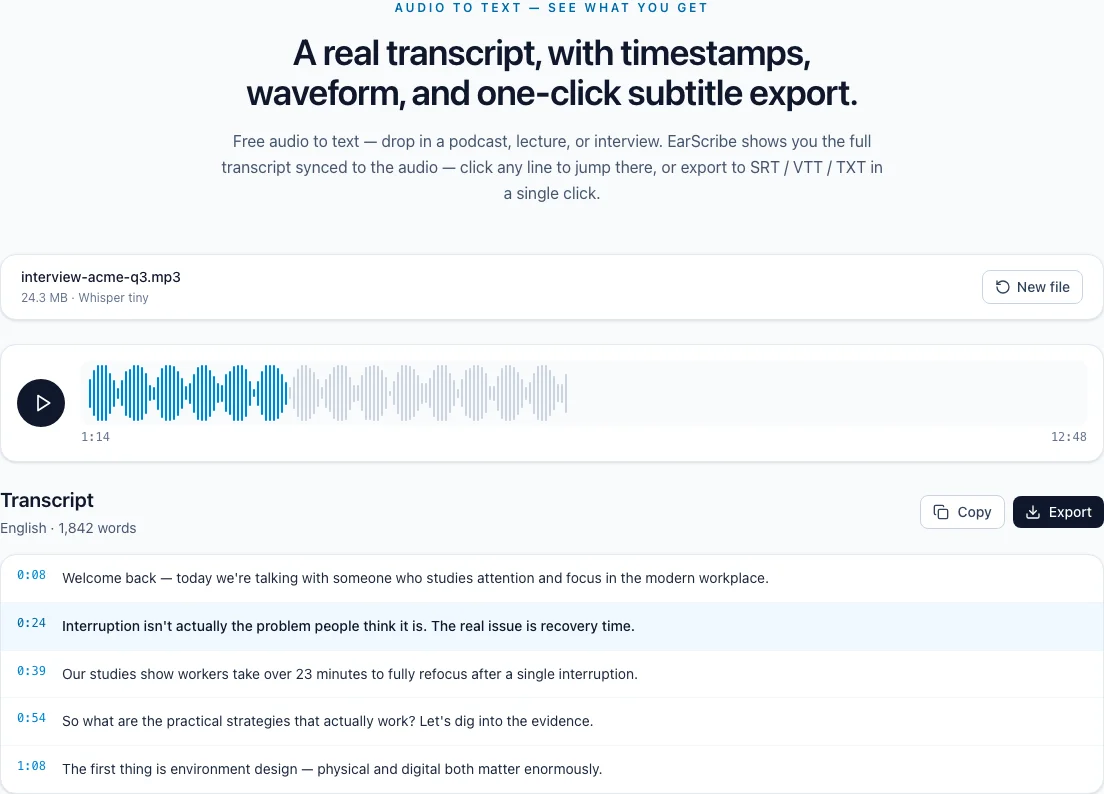
Search for names and numbers, replay the matching timestamps, fix the wording, then copy the text or export a file.
m4a to text
M4A is a container rather than a codec: an MPEG-4 file that holds only audio. Knowing where your file came from and what is inside it explains most of the problems people run into.
iPhone Voice Memos, Zoom's local audio-only recording, GarageBand exports and many Android recorder apps all save M4A. Podcast editors and screen recorders often offer it as a smaller alternative to WAV.
Because the container is the same as MP4 video, an M4A file may show up as audio/mp4 in some apps. That is expected and does not affect transcription.
Most M4A files contain AAC, a compressed codec that every major browser can decode. iPhone Voice Memos can also record in Apple Lossless when Audio Quality is set to Lossless; those files are several times larger and may not open in every browser.
Speech recognition gains nothing from lossless audio: EarScribe resamples every file to 16 kHz mono before Whisper reads it. If a lossless memo fails to load or runs out of memory, export a compressed copy and transcribe that.
Each transcript segment keeps the time it was spoken in the file. Click it to hear the source, correct the words, and the same timing goes into SRT and VTT exports.
If you trimmed the M4A in another app, transcribe the trimmed version you plan to publish so the subtitle timing lines up with it.
Review the transcript before you export
Transcribe the original recording rather than a re-compressed copy.
Lossless memos are large; use a compressed export for long recordings.
Search for each one and replay it before you share.
TXT for notes, SRT or VTT for video, JSON for your own tools.
An M4A recorded as Apple Lossless is far larger than a standard one; long lossless files are easier to handle as a compressed copy.
Keep the phone or recorder close to the person speaking. Distance costs more accuracy than the file format does.
Trim long silence at the start and end of a recording to save memory on long files.
An M4A file is an MPEG-4 container that holds audio only, usually compressed with AAC. It is the same container as MP4 video, which is why some apps label it audio/mp4.
No. Browsers decode the AAC audio in an M4A file directly, and converting between two compressed formats cannot add back detail. Select the original file.
Most M4A files use AAC and open in every major browser. Files encoded with Apple Lossless may not decode in every browser, and copy-protected .m4p purchases cannot be decoded at all. Export a standard AAC copy and try again.
Yes. After checking the transcript, export SRT or VTT; each cue keeps the timing of the original recording.